Mastercam & Fusion 360 to NX Tool Library Converter
MFGTools DAT Converter instantly translates native Fusion 360 (.json) and Mastercam (.tooldb) libraries into production-ready Siemens NX .dat files, or bridges them with Excel for mass-editing.
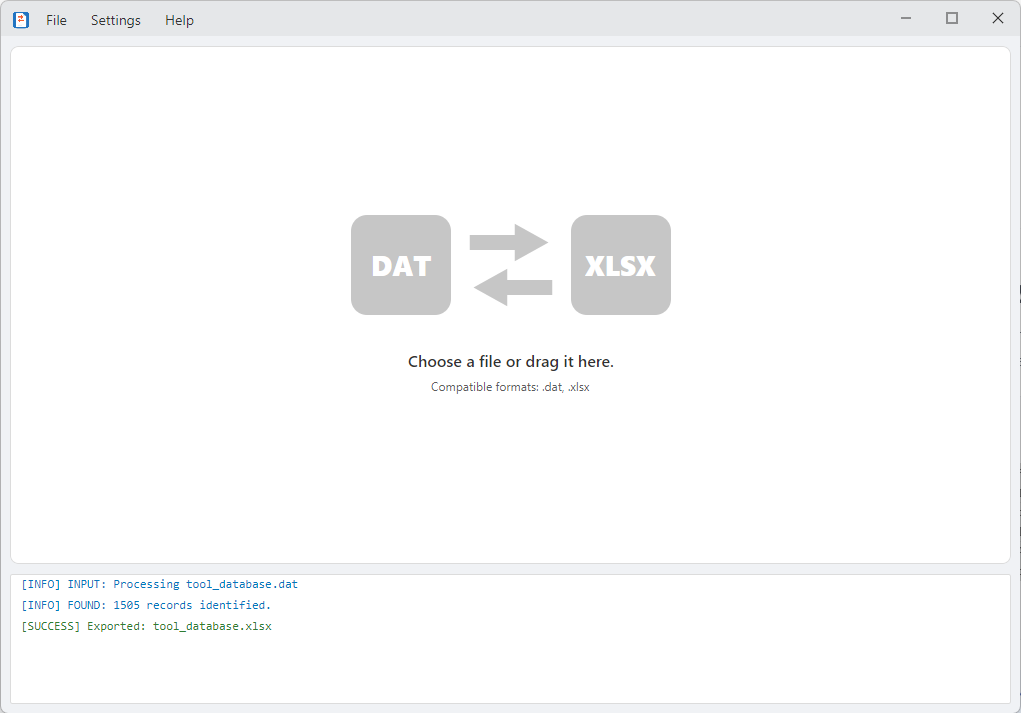
Stop recreating tools from scratch. MFGTools DAT Converter is designed to effortlessly port your existing tooling assemblies from popular CAM systems directly into standard .dat format. For complex overhauls, use our two-way Excel bridge to leverage advanced spreadsheet logic.
Native CAM Library Translation
Export your libraries from your primary CAM system and drop them right into the converter to generate perfectly formatted .dat structures instantly. (One-way conversion to .dat files)
Fusion 360 to DAT
Convert .json to .dat files. Seamlessly process full tool assemblies, including translating complex shanks and holders. Features fully customizable naming conventions and supports exporting to both Inch and Metric units.
Mastercam to DAT
Convert .tooldb to .dat files. Extract deep relational data directly from SQLite databases, preserving precise parametric cutting data. Supports most tool types, complete assemblies including holders and shanks, and exports to both Inch and Metric units.
The Power of Excel-Based Management
Need to build libraries from scratch or edit thousands of records? Use the two-way bridge between .dat files and Microsoft Excel (.xlsx) to manage your data with spreadsheet efficiency.
Mass Library Construction
Quickly build entire databases by copying and pasting tabular data directly from vendor websites or older spreadsheets.
Logic-Driven Rules
Use Excel formulas to automate selections (e.g., If Diameter > 20mm, then assign Holder "CAT40_ER32") before converting back to .dat.
Intelligent Cross-Referencing
Connect different Excel sheets to manage relationships between various library components.
Global Updates
Perform mass "Find & Replace" operations across thousands of records to update speeds, feeds, or material references.
Smart Validation & Native Export
Prevent crashes before they happen. The built-in rule engine features advanced error checking and customizable rules to automatically catch duplicate identifiers, invalid geometry, and illegal characters prior to export.
When validation passes, the application safely exports your data directly to the native NX library format, cleanly generating the necessary files for your environment:
- tool_database.dat
- shank_database.dat
- holder_database.dat
Portable and Simple
Single Executable
No installation or admin rights required. Runs immediately.
Zero Dependencies
Everything included, even the runtime framework.
Lightning Fast
Processes thousands of records and rules in seconds.
Installation
- 1Download DatConverter.exe.
- 2Right-click the file → Properties → Check Unblock → OK.
- 3Launch the app and drag your file onto the window.
Get Started
14-Day Free Trial
Full application access for 14 days. All features unlocked. No credit card required.
- Full GUI functionality
- Drag-and-drop conversion
- Validation engine
Full License
$20One-time purchase. Permanent license that never expires.
- All features included
- Lifetime access
- Free updates forever
- Priority support
Download
Support & Documentation
View Full Documentation
Detailed usage instructions, templates, and troubleshooting guides
Still stuck? Use Help → Submit a Problem in the app to send diagnostic logs, or email support@mfgtools.com.